Tank
I was interested in building a vehicle and wanted to explore blending ZBrush and Fusion on a challenging high poly model. I found a couple concepts I really liked, put them together, and this is the result. I've included some information on the modeling process, but if you have any additional questions please feel free to post them here. If you'd like to learn more, I have plenty of tutorials available over at www.IsaacOster.com.
Special thanks to Ignacio Bazán Lazcano and Sergey Kondratovich for the concepts.
http://neisbeis.deviantart.com/
https://www.artstation.com/artist/kondratovich
Thanks for checking it out!


I really loved the base of the original concept, but I wanted something a little more traditional for the turret. I grabbed a few turrets from similar concepts until I found something closer to what I had in mind.
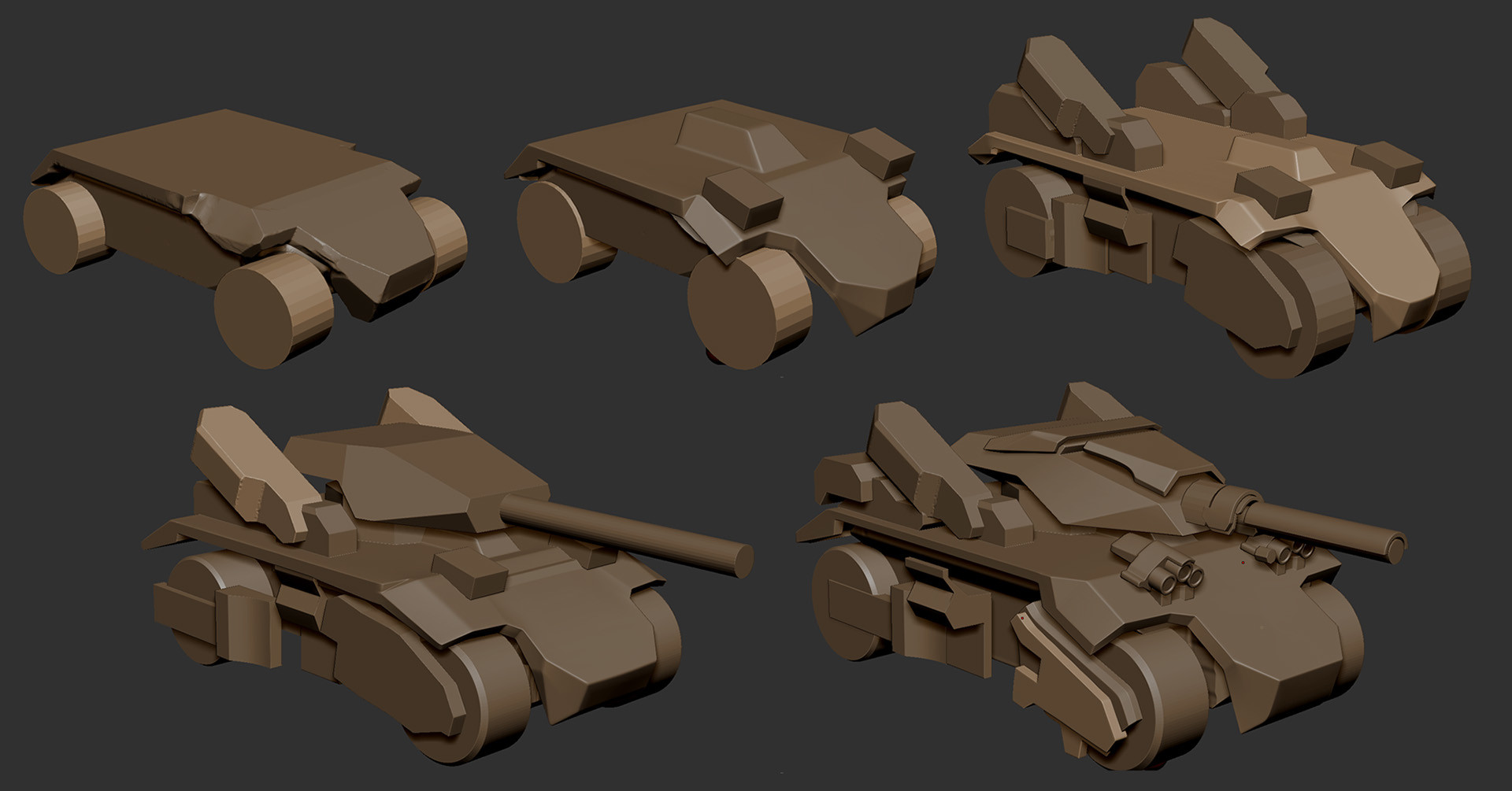
Zbrush is a really flexible platform for exploring ideas and is the hub of my modeling process. I started by blocking out the main forms in Zbrush. I used both dynamesh and zmodeler to build these basic shapes.

This is pretty good example of the process. I usually begin with dynamesh, clip, and transpose, then retop, and finish with zmodeler to add any additional detail.

Here are a few examples of a few of the pieces before and after the Fusion pass. Check out the video for a more in-depth look.
If you'd like to learn more about working with Fusion 360, check out my free intro series here:
http://www.isaacoster.com/?page_id=2405

Here's a few more progress shots. I continued tweaking proportions right up to the end of the modeling process.

Did the retop in zbrush. Zbrush's retop tools aren't all that great, but I prefer working with one application whenever possible.

I did the main UV unwrap with 3DS Max, packed them with UV Layout, and set up the edge smoothing in Maya. Textures were baked out at 4k x 8k. I reduced the the texel density for areas of the model with less visibility.

This is the final albedo map, without decals. Most of this was created with Quixel. I added the orange stripes with a vertical gradient as a separate operation in photoshop.

I made a decal sheet and turned it into a bunch of decals in max. I think I ended up with three super simple materials in Marmoset. Each material was a different color. You can see a few ideas here that didn't make the cut.

Check out the Marmoset Viewer file at www.IsaacOster.com