Zombie Horde with Vertex Animated Textures and HLSL in Niagara
I wanted to explore setting up an ambient crowd system using Unreal 5. The project has two main components - a tool to generate Vertex Animated Textures and a Niagara system to manage them. I found skeletal meshes and animations on Mixamo and used the AnimToTexture plugin to generate the texture data. Special thanks to youtube.com/@TrashPraxis for breaking down the plugin. Once I had a few VATs generated, I used HLSL inside a Scratch Pad module to generate generic Zombie behavior. I learned a lot working on this project and hope you find something useful here.
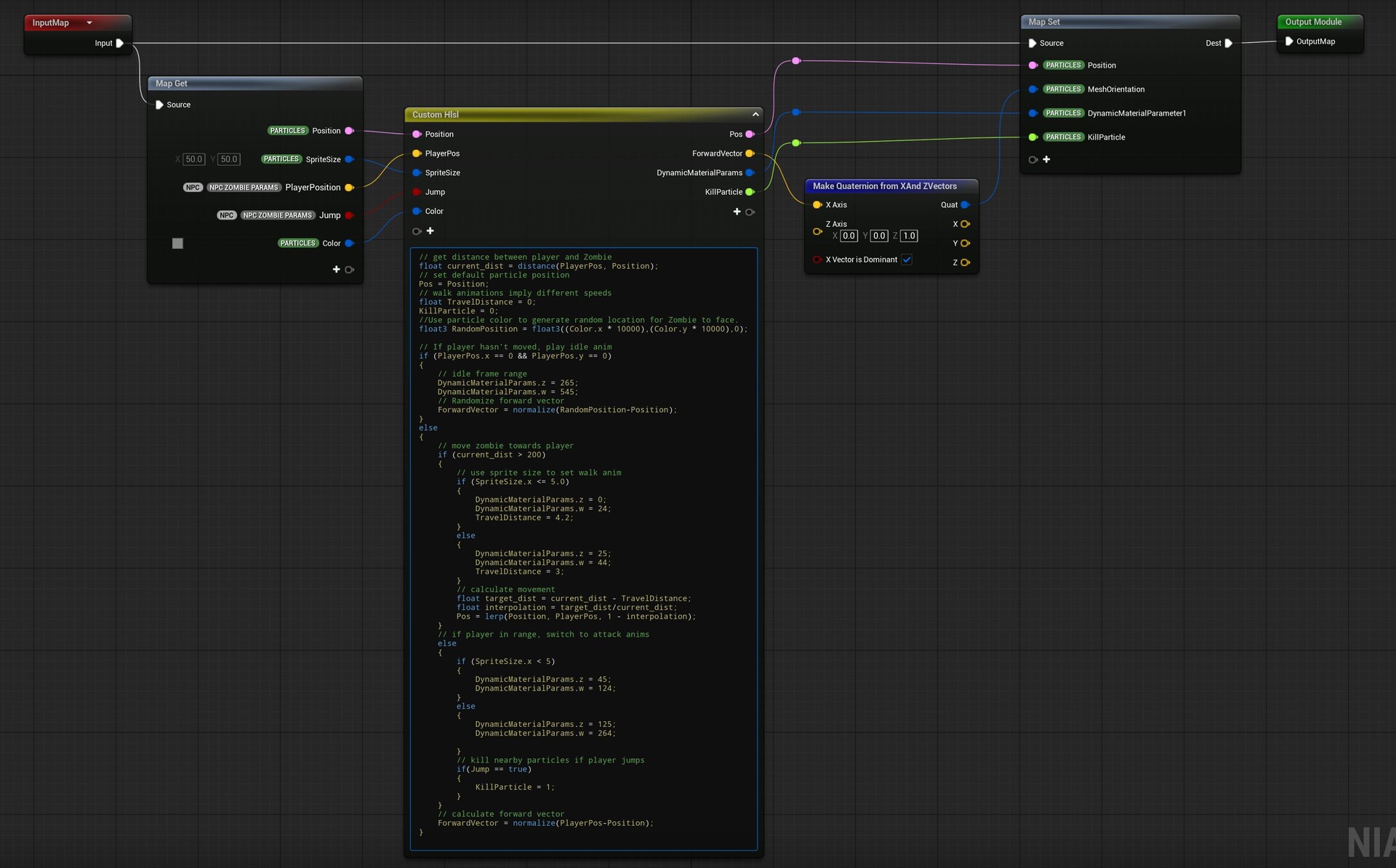
This HLSL code ingests player position, particle color, and sprite size to determine which animation to play, how far to move the Zombie, and set mesh orientation. The frame ranges for each animation are located in the data asset.
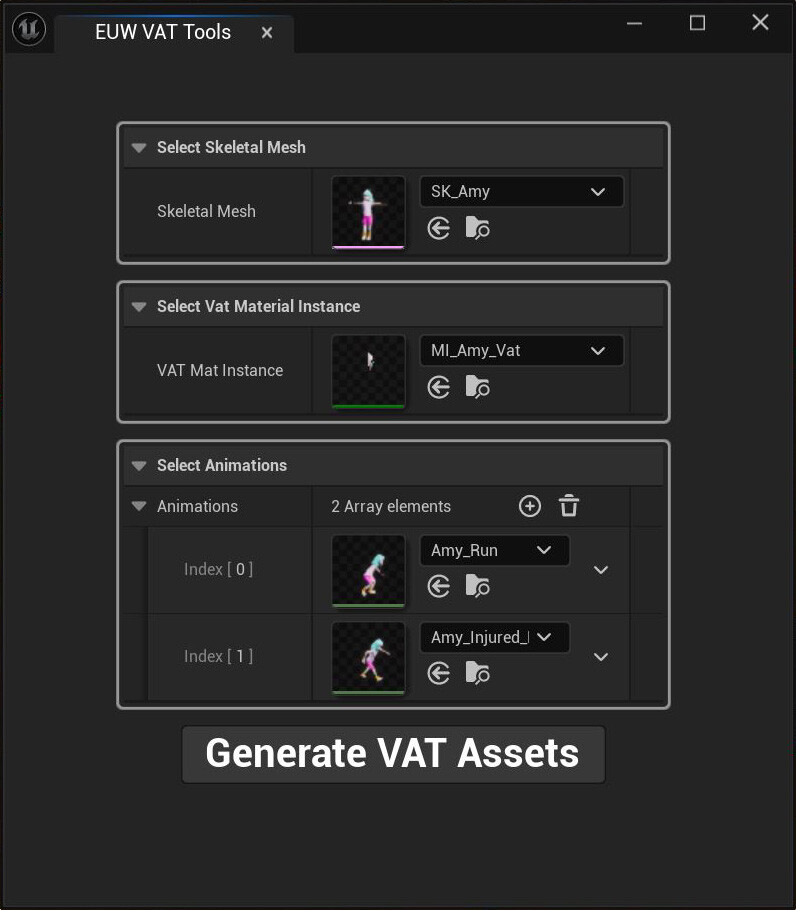
This is the custom Editor Utility Widget built to generate Vertex Animated Textures for this project. The user has to set up a dedicated material instance outside of the tool. All other assets are generated within the tool.
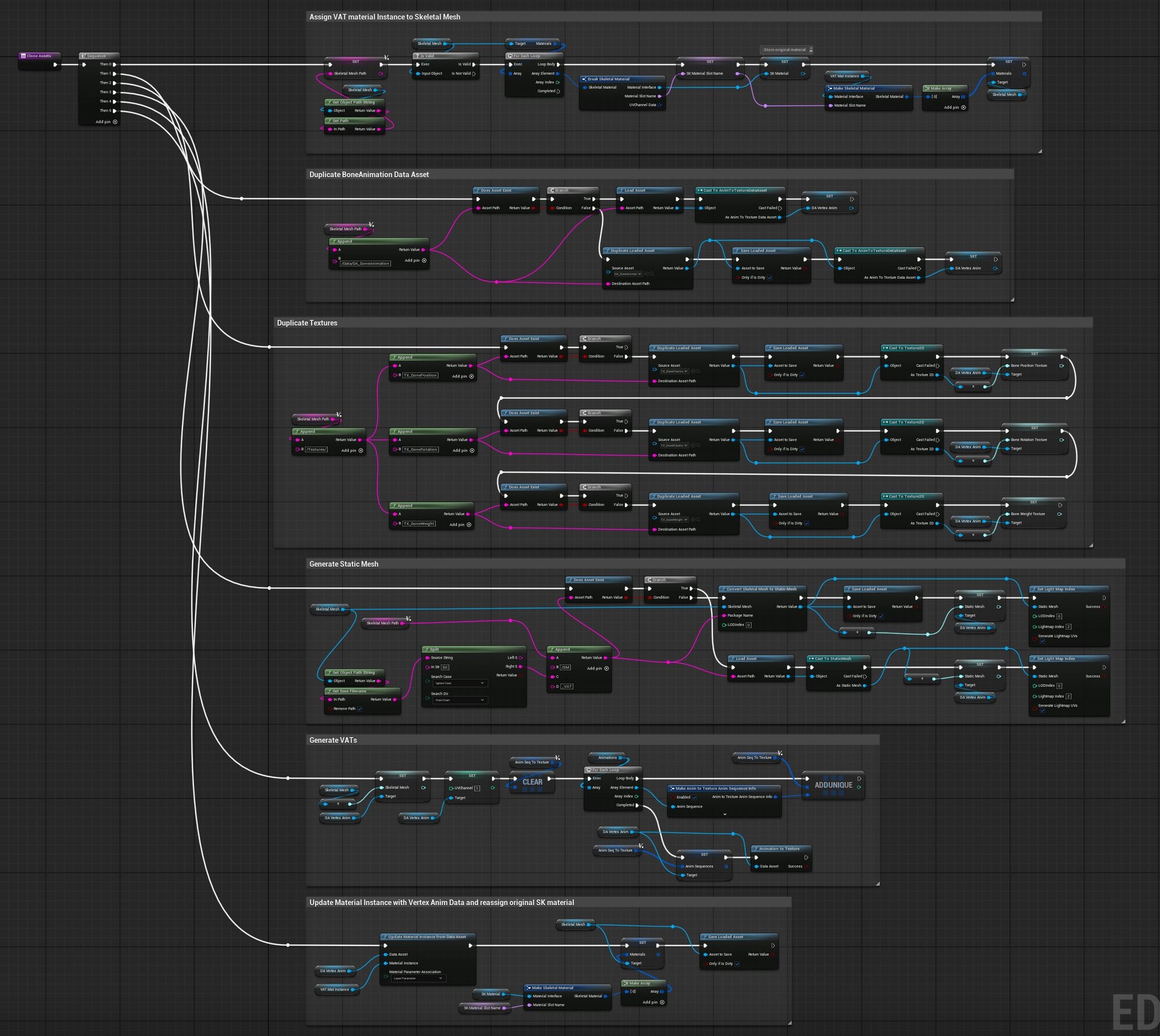
The plugin requires a data asset populated with a skeletal mesh, a material with some specific nodes, animation sequences, a static mesh, and textures to store the animation data.
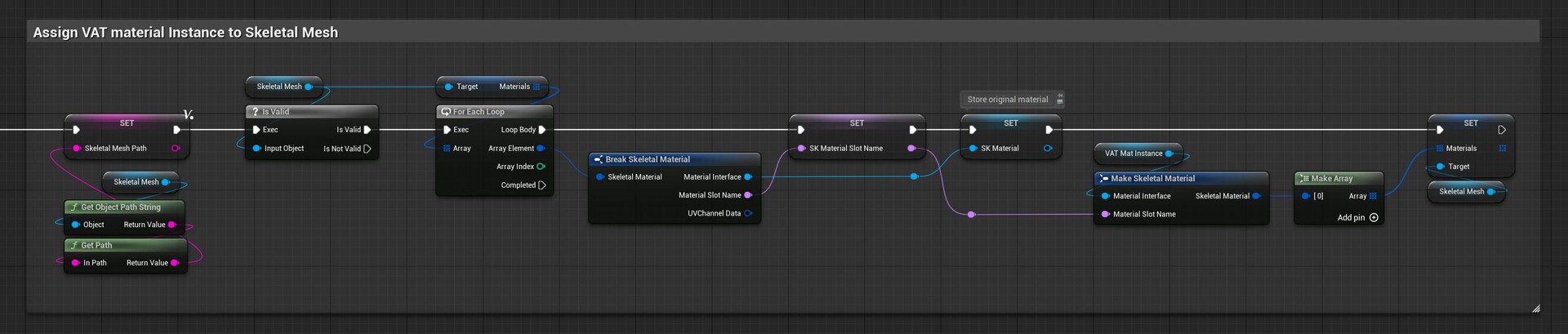
This section stores the original skeletal mesh material and assigns the user-generated Material Instance.
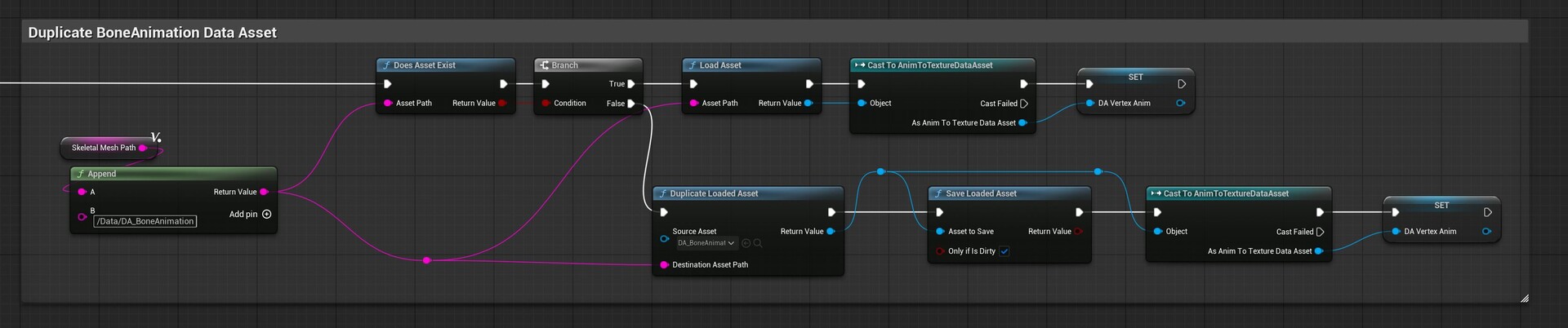
This section duplicates the original data asset into the same location as the skeletal mesh.
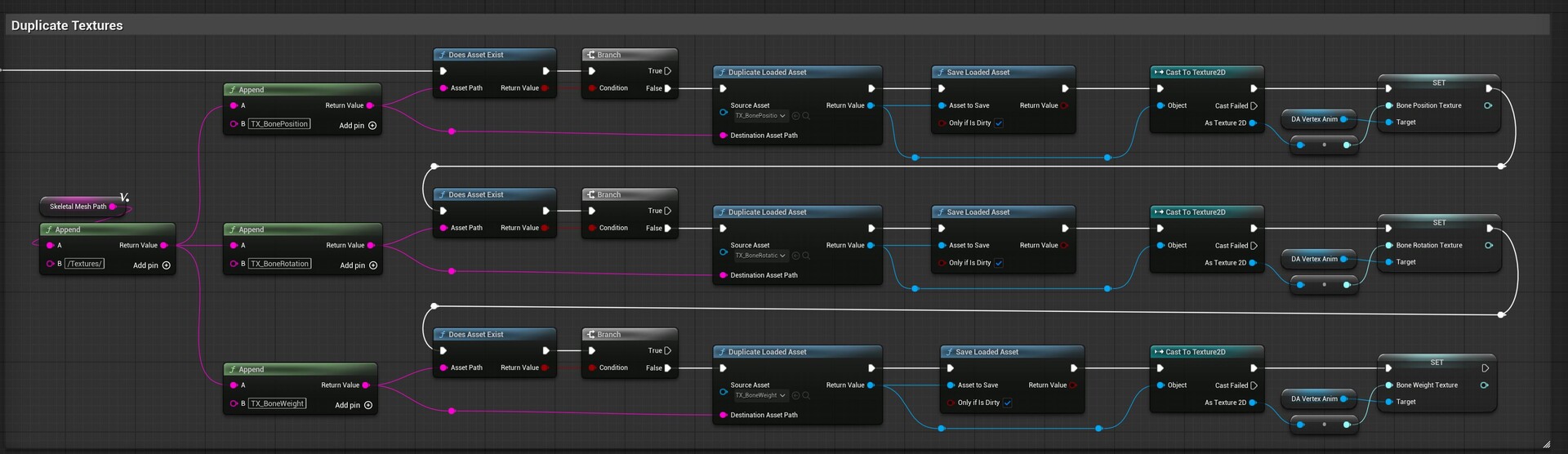
This section duplicates the original plugin textures into the same location as the skeletal mesh and updates the data asset.
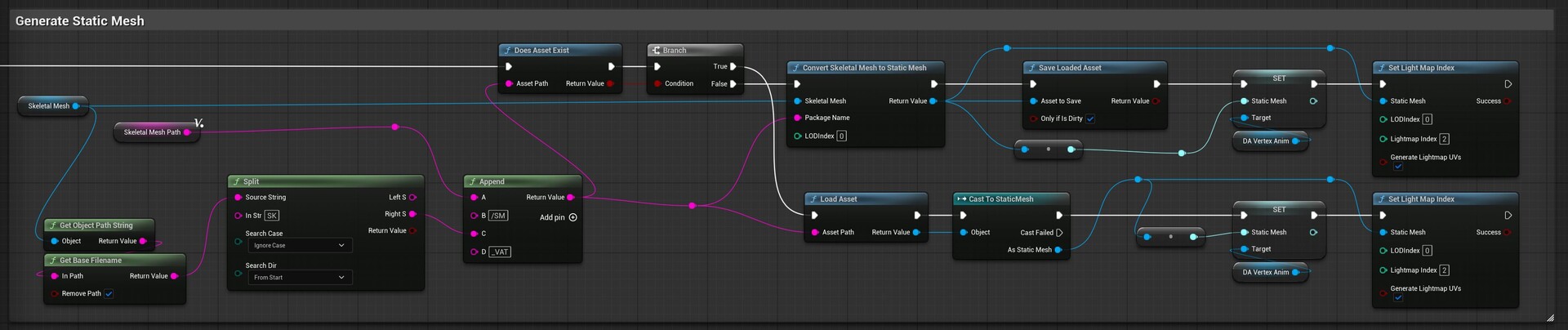
This section generates a static mesh from the skeletal mesh, sets the UV lightmap channel, and updates the data asset.
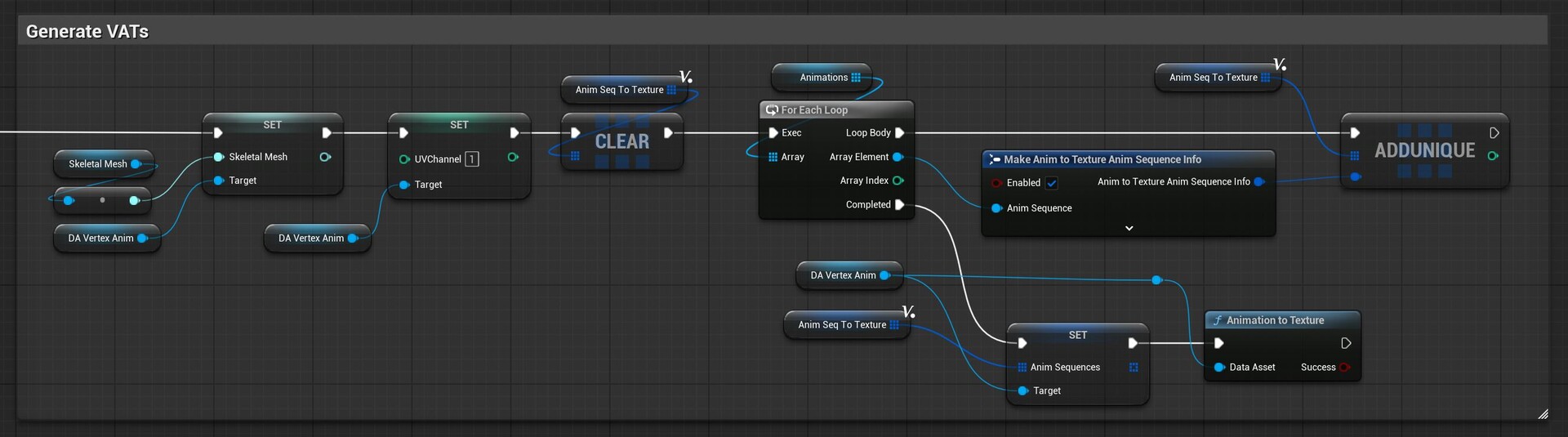
This section generates the Vertex Animation Textures

This section updates the material instance and reassigns the original skeletal mesh material.